Thinqloud AdminSalesforce Technology


As we know, Salesforce has announced its latest release, Summer ’16 on 21st April, 2016. It is the 50th major product release with some of the most exciting features.
We at Zen4orce had good fun celebrating this new release by picking up our individual Top 10 favourites and awarding the ones who had the most votes…
Summer 16 is packed with loads of new features spreading across all the clouds and especially lightning. It was a tough choice to pick up the favourites.
So, here we are with our list of favourites from the Summer ’16. We have broadly categorized into four different categories
Lightning Exclusive Features
Salesforce Edition
Development
General
Lightning Exclusive Features First I would like to touch upon Lightning as Salesforce has pushed a bundle of cool features for Lightning. There have been a lot of enhancements both from a developer and an end user POV.
These features are only available in Lightning experience.
A. Create New Accounts Lightning Fast with Account Autofill Creating new Accounts got faster than ever before with auto fill suggestions. And that’s not all; When a rep selects a company from the list, several other fields come autofill with data, when available: Website, Phone, and Billing Address (headquarter location). The suggestions include US-based companies.This feature can be turned on from Account Settings page.
A. Visualize Your Business Like Never Before with Account Logos (Beta) An awesome addition!! Add logos to your Account which would be seen on the Account records. Logos show up automatically, when available, on US-based accounts. If you use Social Accounts, logos that reps added manually from social networks may be replaced with a fresher, more up-to-date logo. This feature can be turned on from Account Settings page. This feature is available in Lightning Experience and all versions of the Salesforce1 app.
A. Home: Customize Home for Different User Profiles (Generally Available) Now we can create custom Home page for different user profiles. Display and organize useful components, and assign different pages to different types of users. You can even create and edit pages for leads, contacts, and other types of records!
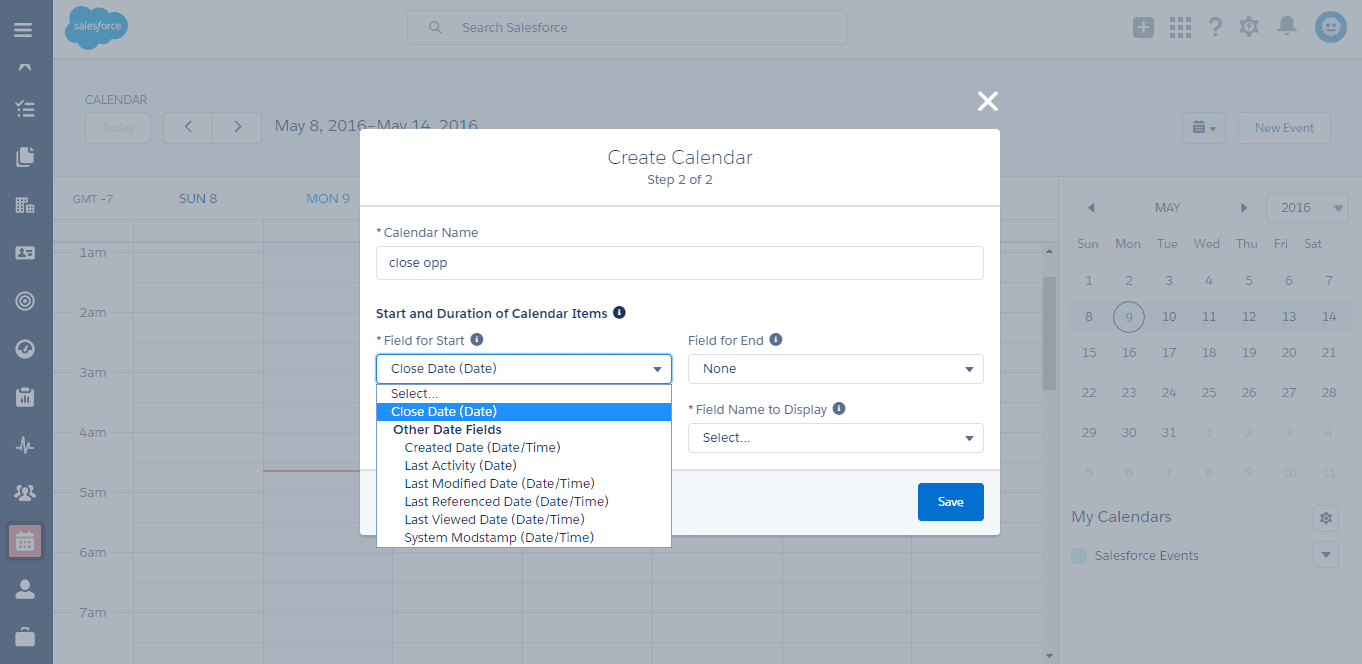
A. Create a Calendar from Anything in Salesforce Starting this release, anyone can create a calendar from a standard or custom object by choosing a date field representing data they want to track. The calendar displays data in that field as calendar items. Users can customize most calendars by applying a list view, and they can edit and delete calendars they’ve created. Some considerations apply to creating calendars.
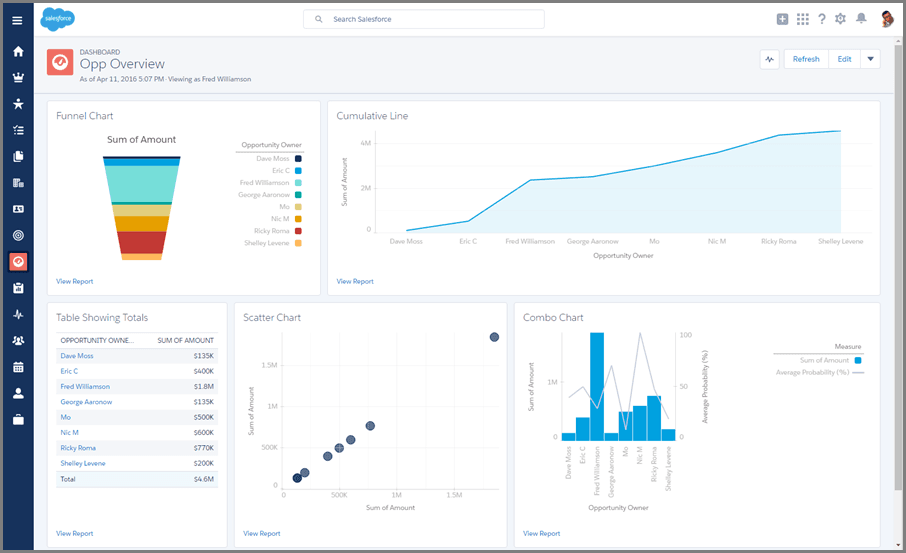
A. Dress up Your Data with New Charts in Lightning Experience A bundle of charts have been added to lightning experience: funnel, scatter, combo, and cumulative line charts. Also, table charts now show totals in Lightning Experience dashboards (after you set them up in the Salesforce Classic component editor). Funnel charts are available in both reports and dashboards. Scatter, combo, cumulative line, and table charts are available only in dashboards.
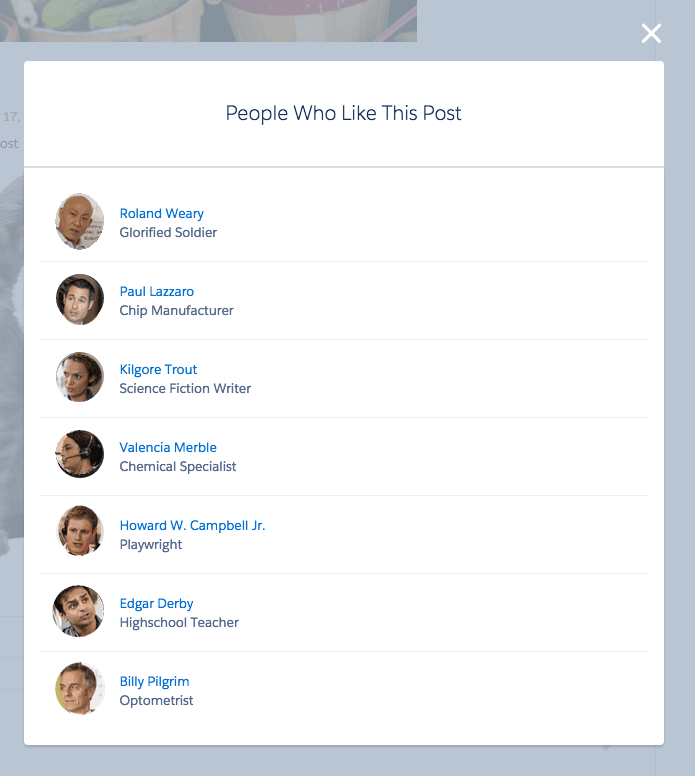
A. See Who Liked Your Post in Lightning Experience
A. Give Your Lightning Experience and Salesforce1 Users the Power of Flows (Pilot)
Flows can be added to any Lightning page–App pages, Record pages, and Home pages alike.
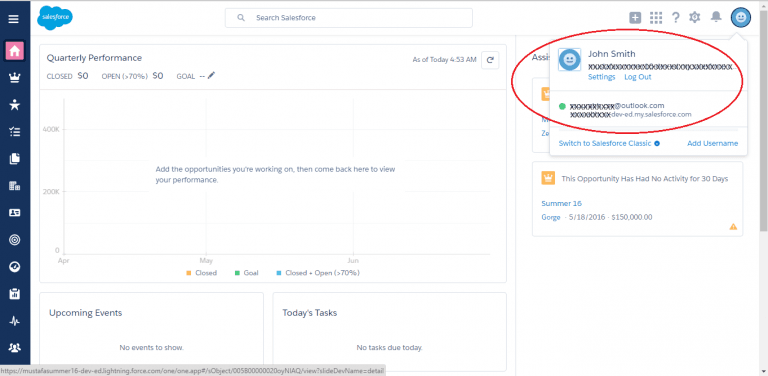
A. Simplify Salesforce Navigation with the User Switcher
With the user switcher, users can now easily navigate Salesforce when they have multiple usernames on the same or different Salesforce orgs. They select their profile picture to see a list of available usernames to navigate to. Users no longer have to open a new tab, enter a login URL, and then enter their username.It is enabled by default. Admins can disable it to prevent an org from appearing in other switchers or prevent the switcher from displaying the current org.
A. Debug Lightning Components with the Salesforce Lightning Inspector The Salesforce Lightning Inspector is a Google Chrome DevTools extension that helps debug Lightning components and profile component performance.
A. View Apex Test Results More Easily The new Apex Test History page shows all the test results associated with a test run. The page shows results only for tests that have been run asynchronously.
A. Sales and Service Cloud
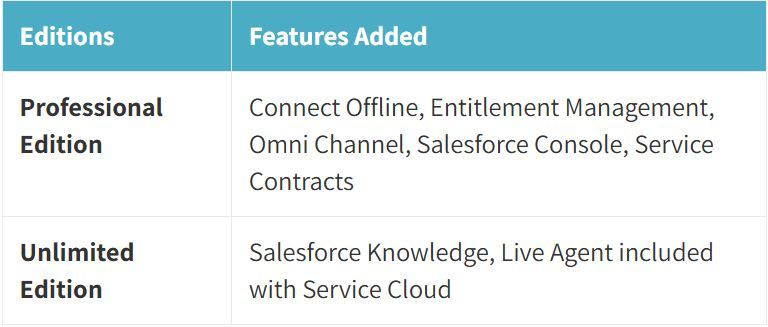
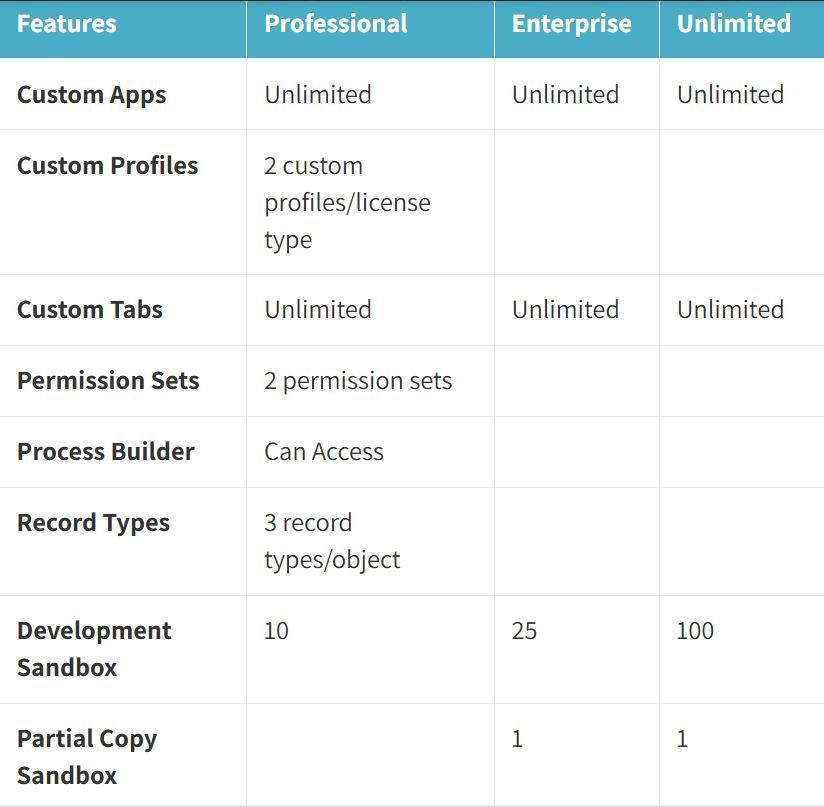
A. Limits Increased Here is the list of all the increased limits. Custom tab is my personal favourite
A. Custom Metadata Type Now supports picklist and relationship fields (pilot).
A. Increased Cross Namespace limits The number of unique, certified namespaces that can be invoked during a single Apex transaction has been increased.Previously, the limit during a single transaction was 10. There’s now no limit on the number of certified namespaces that can be invoked in a single transaction.These increased cross-namespace limits apply only to namespaces in certified managed packages.
A. One Asynchronous Limit to Rule Them All We can now make up to 200 asynchronous calls of any type in a single Apex transaction. Feel free to mix and match future, queued, scheduled, and batch calls within a single transaction, up to a limit of 200.
A. Suppress Null Values When Serializing Apex Objects The current implementation of the Apex serialize method returns null values when serializing Apex objects into JSON.Now a serialize method with a flag to suppress null values. Set suppressApexObjectNulls to true to suppress them when serializing Apex objects into JSON.
A. Create Lightning Components with Configurations in the Developer Console The New Lightning Bundle panel in the Developer Console offers a choice of component configurations when you create a Lightning component or application bundle.
A. Save Time by Cloning Sandboxes Create a sandbox by cloning an existing sandbox rather than using your production org as your source. Save time by populating any type of sandbox with a previously chosen set of data and metadata. (Sandbox templates, which serve a similar purpose, are available only for Full or Partial Copy Sandboxes.)
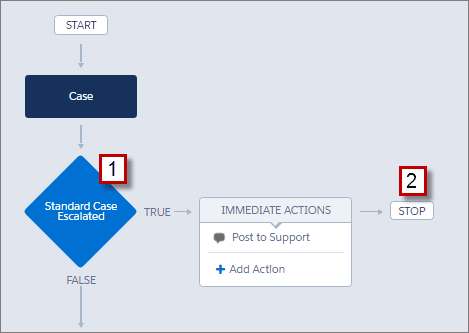
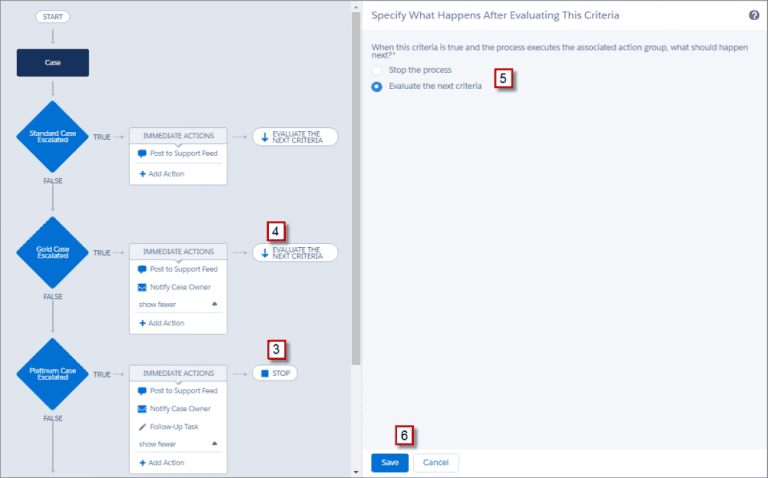
A. Processes Can Execute Actions on More Than One Criteria After a process executes a particular action, we can choose where it should choose or evaluate another action. Multiple action groups can be executed in a single process and it is easy to manage all the processes for a single object Summer 16
A. Data Import Wizard Enhancements for Matching by External ID For any object, you can specify an external ID field for the Data Import Wizard to find existing records that match the import data.Previously, matching by external ID was available only when importing solutions or custom objects. Now the option is available regardless for which object you’re importing records.
A. Picklist Administration Global Picklist allows you to share values across objects and custom picklist while maintaining values at one place. Restricted picklist keeps the data clean
A. Chatter Groups Customize groups by creating record types (beta). Add group members in a bunch
A. Shortcuts for Currency and Number Fields in Lightning Experience When you enter a currency amount or any other type of number, you can use the shortcuts k, m, b, t to indicate thousands, millions, billions, or trillions. For example, entering 100k appears as 100,000 in the goal editor on the performance chart of the Lightning Experience Home page.This feature is available in Lightning Experience, Salesforce Classic, and all versions of the Salesforce1 mobile app.
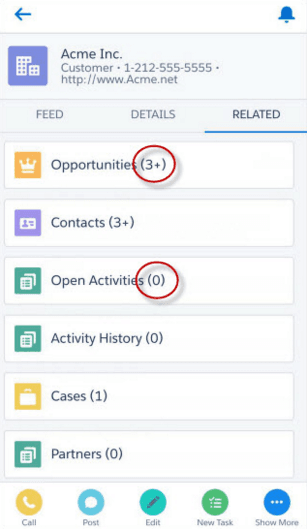
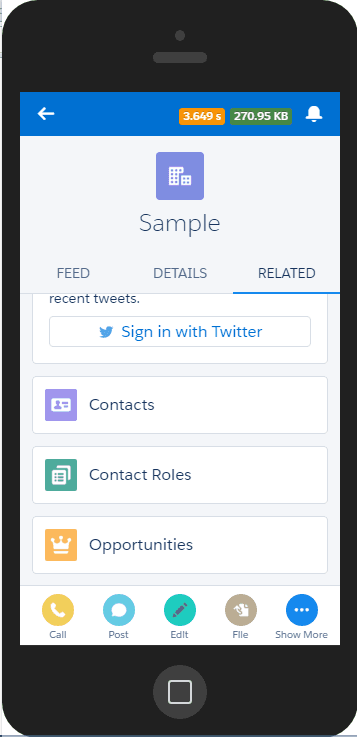
A. Salesforce1: Quickly See If Related Lists Include Records
For further details, please read the detailed release notes https://releasenotes.docs.salesforce.com/en-us/summer16/release-notes/salesforce_release_notes.htm
There are 200+ features which have been released; the above is just a summary of the features that we liked the most.