Thinqloud AdminSalesforce Technology

Alumni play a vital role in a college or university’s future success. Strong alumni engagement goes beyond simply asking for financial support. Alumni are an educational institution’s greatest ambassadors, and when engaged properly have the potential to provide career support to students, create partnerships with external organizations, and raise the profile of the institution.
Major challenge is configuring a solution which can capture validated information around alumni and to establish such solution we need to have correct knowledge about what information to capture. Let’s understand how using salesforce’s objects can leverage our need of Alumni information.
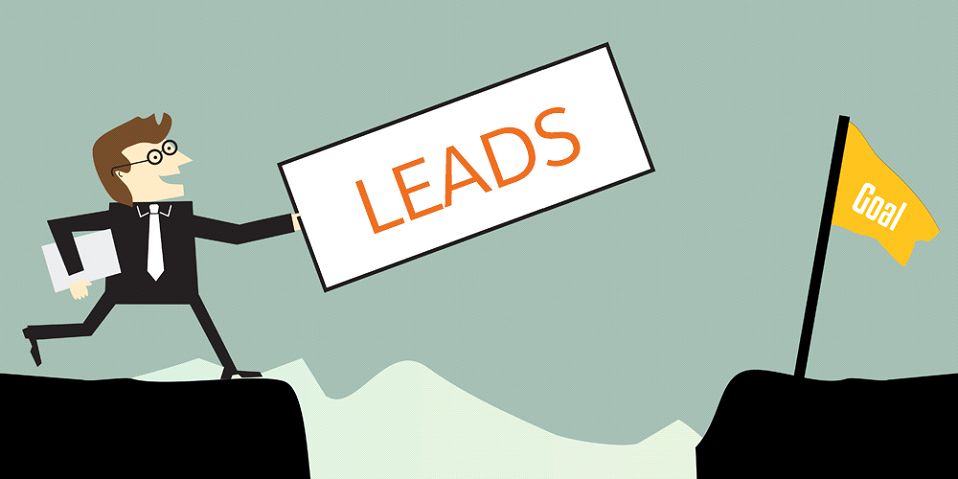
Validations- Validation can be configured on any particular fields as per requirements so as to maintain accuracy of information and avoid replications of records. Customization- As per requirement lead object is customizable.
Leads here are prospects Alumni or students who holds potential to be Alumni soon, as they haven’t been qualified to be Alumni. Once they complete lead stages and gets qualified, Alumni lead gets converted into Alumni Contact.
-** Demographic Data**- Name, Mobile, Email, Gender, Birthdate, Address
Validations- Can perform validation on any particular field like email address, batch year, etc. to maintain accuracy of data and avoid replications. Customization- As per requirement contact object is customizable.
Alumni contact are those alumni who are qualified leads. Contact gets associated with Account object which gives idea about Contacts personal demographics, social as well as professional background history.
In Salesforce 2 types of Accounts exits
Household Account- [describes Alumni’s family background] Organization Account- [describes Alumni’s Social and personal background]
If account record type is Organizational
If account record type is Household
Validation- As per requirements can perform validation on any particular fields to avoid replications of records and maintain accuracy of the information. Customization- As per requirement account object is customizable.
Our Alumni contact can be related to multiple contacts [friends, colleagues, wife, daughter] & alumni can be part of or was part of various companies or sports club. To gain 360-degree view of your Alumni’s each relationship with individuals or accounts, salesforce Custom Objects – Relationship & Affiliations is an ideal option.
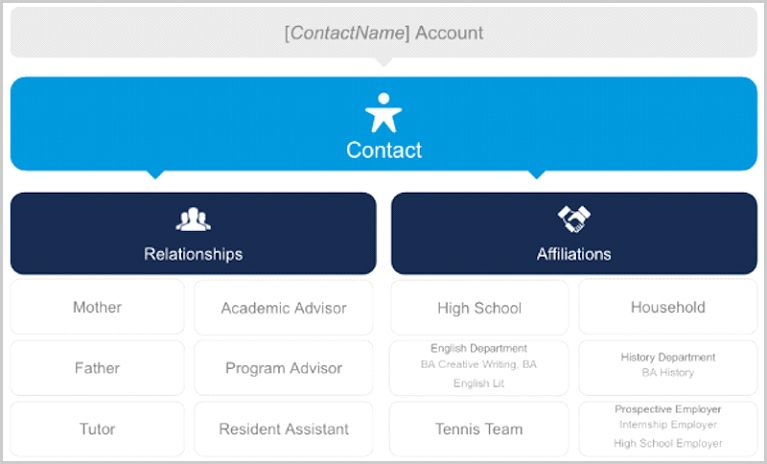
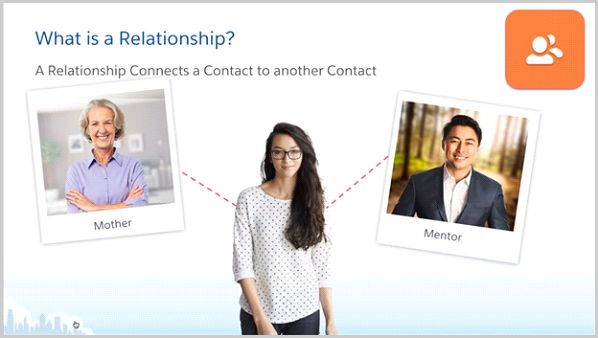
Features- this object identifies how a contact is related to other individual or multiple contacts. Also, it creates reciprocal relationship so as maintain accuracy between two contact’s relationship
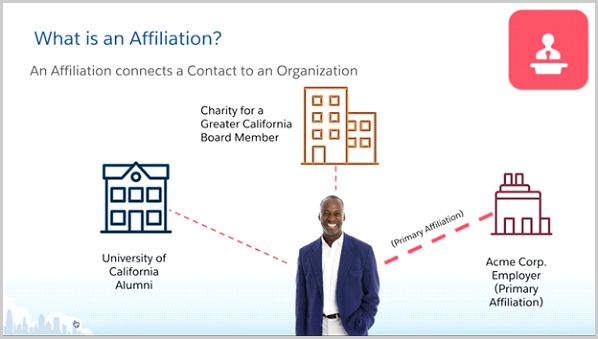
Features- this object specifies the role of an alumni in particular organization or club. It will identify the current as well as former organizations, department or clubs that alumni had been part of so that we gain insight about complete social and professional background of the alumni.
Just maintaining Alumni directory, their relationships, their affiliations is not sufficient for Educational institution as they always aim to engage and maintain relations with their Alumni. So, on a frequent interval Institution conducts enormous events or activities where they invite alumni to make huge contribution diversely. In such events Alumni can be guest, partners, event organizer or even Volunteers.

For an institution, Volunteers can be there current students, Alumni or faculties. Volunteer contributes majorly in any Alumni Engagement events or activities and institution would never like to miss to capture and track their volunteer’s efforts.
Find Volunteer Shift Calendar Mass Email Volunteer Volunteer shifts
Validations- start date should be less then end date.
⦁ Object Name – Volunteer Shifts ⦁ Object Name – Volunteer Shifts
Mass Edit Volunteer Hours- requires when need to modifies volunteer’s hours for bunch of volunteers.
Custom Reports- Creating custom in easy steps is possible using objects and its fields
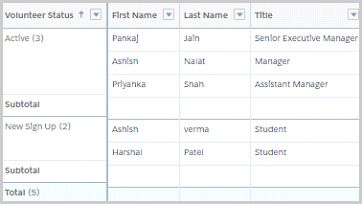
Dashboard- Use volunteer reports as components on dashboard to provide visualization of data