Thinqloud AdminNonprofit

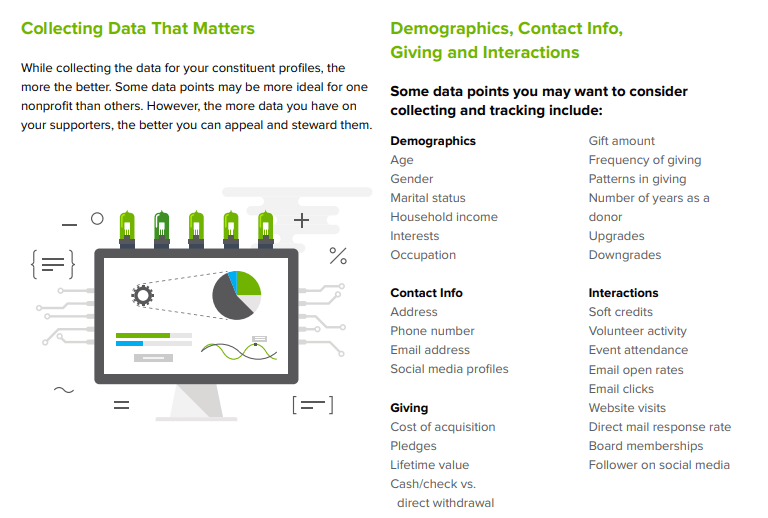
For nonprofits, having the right data on hand is especially crucial. When we have an accurate view of the makeup of your community and who the donors actually are, we will be able to execute more effective donor research and plan a better fundraising strategy.
Features Available
Demographic information like First name, Last name, Phone, Email, Address
Lead Source –
Record types help you differentiate between sales leads and registered deals, assign specific page layouts for different processes, and simplify reporting for each type of record.
Ratings- Indicates value or prospect of the lead, for example, Hot, Warm, and Cold.
It allows the sales reps to focus on the hot leads. Industry – Primary business of lead’s company
Agriculture
Banking
Communication
Chemical
Education
Company- Name of company with which lead is affiliated
Annual Revenue- Amount of annual revenue at lead’s company
Lead Division- Division to which the lead belongs
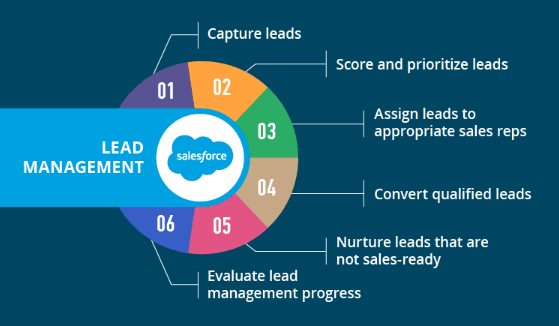
Once the Lead has gone through the selection process and if he/she is selected then we can convert this lead into Contact.
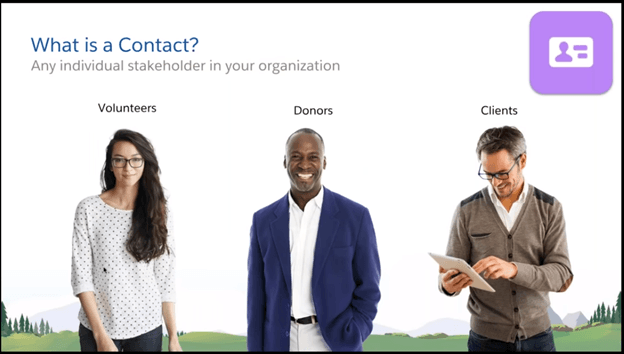
Features Available
Preferred Phone– Business, Personal Which phone number will be used for most communications involving this Contact?
Preferred Email– Business, Residence and Cell Which email will be used for most communications involving this Contact?
Nationality
Designation Designation defines the priority for the area in which donor wants to spend his/her donated money for ex. Israel Only, Hospitals only, Chicago only etc.
Volunteer Availability– Weekdays, Weekends, Morning, Afternoon and Weekly
Indicates Volunteer Availability means in Morning/Afternoon etc.
Volunteer Hours- Total number of Volunteer Hours with a Status of Completed.
Volunteer Skills- Computer usage, Manual labour, Marketing, Fundraising, Event Planning and Landscaping
Indicates which skills this Contact has. You can filter on skills when you look for volunteers for particular Jobs.
Volunteer Status- Active, Inactive, New Sign Up and Prospective
Web Source- Web Manual Bulk Web Donate
Offlist Reason- CAUS Data, Contributor Other, Spouse, Moved, Deceased, To Be Deleted, Donor Request, Duplicate Account, Cannot Locate, Event Guest, Defunct/Merged/OutOfBus and Longterm Nonpayment
Offlist Date-
Deceased- Indicates the Contact is deceased.
Deceased Date
Validation – Deceased Date should not be greater than today’s date. By capturing this data, we can track and can help streamline our fundraising efforts and aid in creating donor-specific engagement opportunities. Seemingly insignificant information like a donor’s occupation, average gift, or frequency of giving helps us to determine things like how much to ask for and when to ask for a donation. Data provides you with the opportunity to give the donor a truly personal giving experience.
In Salesforce 2 types of Accounts exits
Features Available
Account Name-
Account Source- Web Donate Web Registration.
Account Site- Information about the account’s location, such as single location, Headquarters, or Branch.
Account Type- Continuity Fund Country Club Endowment Estate Event Venue Firm Foundation Hospital Hotel In Memory/HNR.
Business Email and Business Phone.
Funding Focus- Animal Welfare Arts and Culture Capacity Building Education Environmental Health Services Human Services.
The general program area(s) that this organization funds.
Industry- Consumer & Industrial Products, Energy & Resources, Financial Services, Life Sciences & Health Care, Manufacturing, Public Sector, Real Estate & Construction Technology, Media & Telecommunications.
Primary Contact field (on Account object) specifies the primary point of contact for Household Accounts.
NPSP also allows you to track a Seasonal Address with start and end dates for a contact or account, so that the Seasonal Address is automatically set as the Mailing Address at the specified start date. When the end date is reached, NPSP copies the original address back to the Address fields.
Fields–
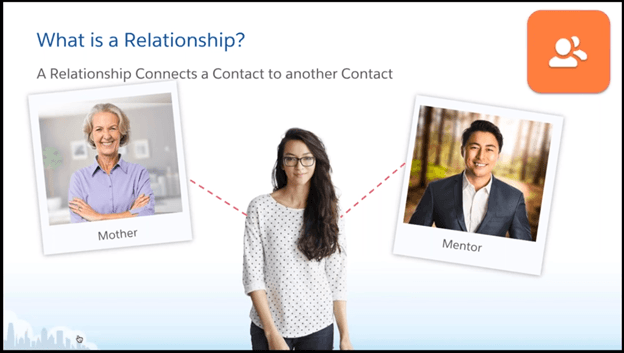
Relationships are actual human relationships that exists between two humans. Thus, we can maintain the actual relationships between two donors in NPSP using Relationships.
For ex., Father-Son is a type of individual relationship.
Fields:
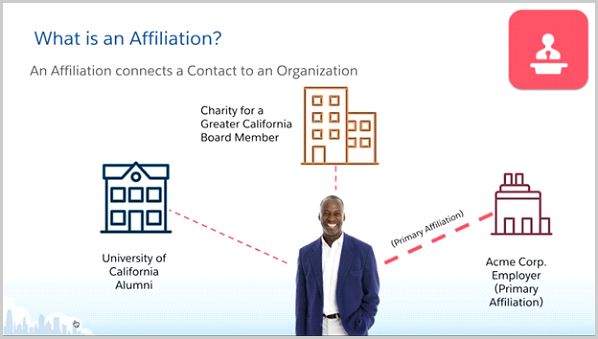
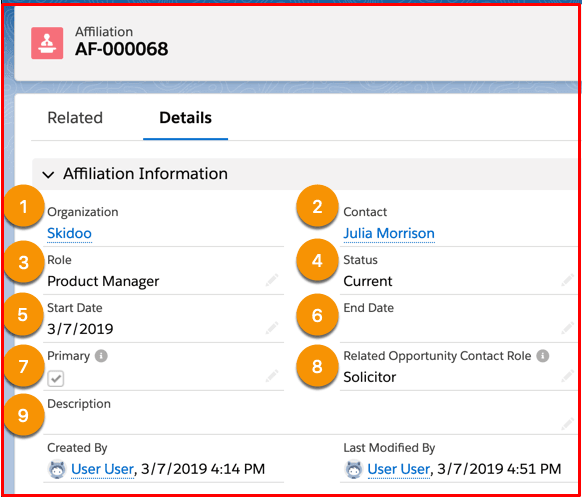
Affiliations provide a way to maintain organizational relationships i.e. the relationship between an organizational donor and an individual donor in the system. These can also be termed as Organizational Relationships in NPSP.
For ex. Employee-Employer, relationship is a type of organizational relationship.
Fields
Soft Credits are credits for the driving forces behind the pledges. Pledges are usually influenced by some people from the societies like Household Members, Colleagues etc. That means the person who influences will receive soft credit for the donation made by the person who was influenced.
On Relationship and Affiliation object below mentioned is important
Using some Custom Objects we can capture some Donor information which will be important
Describe how the Non-profit Success Pack uses Opportunities to track donations.
Donation/Gift/Grant= Salesforce Opportunity Object – Donation – Grant – In-Kind Gift – Major Gift – Matching Donation – Membership
Gift Types – Individual – Household / Organization ( Account ) – Recurring – Open ended or fixed length – Frequency (monthly / yearly) – Start and End Date – Soft Credit – A donation that someone did not actually make, but are credited as being an influence on the donation – Example: Employer matching gift
Create a donation from an individual – Required Fields – Opportunity Name (automatically filled in) – Close Date (default to today) – Stage – Enter Posted as the Stage (it’s equivalent to Opportunity Closed /Won)
Create a donation from an organization – Required Field – Opportunity Name – Account Name – Close Date – State
Describe how donation “rollups” work in Salesforce – Opportunity Rollups calculate totals from all related records – Donation Information: Quick overview – Donation Totals: – Rollups on Contacts include Soft Credits
Create Payments and Recurring Donations
Payment lets you define installments for a single donation
Recurring Donations are multiple donations over a period of time (or indefinite)
Create payments (Related Field On Opportunity)
Default Max 12 Payments – can up updated on NPSP Settings Page – First Payment Date – Interval – Payment Method
Write off Payments to cancel a scheduled payment I- f the donor discontinues payments all together – Edit the opportunity to update new final total – Write off all remaining payments – Change stage to Posted
Connect and Cultivate More Meaningful Relationships
A fundraising event (also called a fundraiser) is an event or campaign whose primary purpose is to raise money for a cause, charity or non-profit organization.
Fundraising – it is NOT about the money … It is about …. What you DO with the money!
Nearly all of the nonprofits are dependent on fundraising efforts to doing well for the causes that they support. However, making use of technology can help in the following ways:
All the above will translate into a nonprofit doing better for the causes that they support.
The following are some keys for fundraising for any nonprofit:
While Managing the Donor and Donation Data some of the items needs to be take cared